

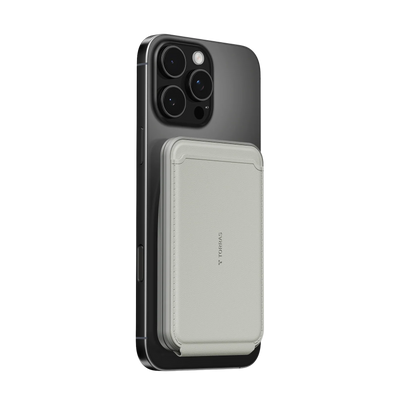


Your stomach drops the same moment your phone does. Whether it slipped off a table, bounced off the bathroom floor, or took a dive into water, the seconds after a drop matter more than most people realize. Knowing what to check, what to test, and when to act can be the difference between a close call and a costly repair. And once the panic fades, it is worth asking whether the best cell phone case for drop protection could have prevented the whole situation.
What to Check Right After You Drop Your iPhone
The first minute after a drop is the most important. Before you do anything else, resist the urge to immediately start tapping the screen or running apps. Take a breath and work through a quick visual inspection first.

Check the exterior:
- Look at all four corners, since these absorb the most impact force in a typical drop and are the most likely place to show damage.
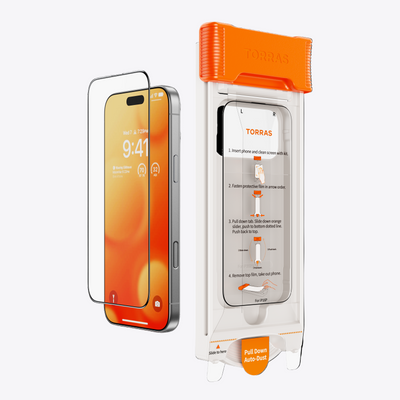
- Inspect the screen for cracks, even hairline ones that are easy to miss at first glance.
- Check the camera lenses for chips or cracks.
- Look at the frame and buttons to see if anything is bent, loose, or visually out of place.
If your phone dropped in water or a toilet:
Power off the phone immediately if it is still on. Do not plug it in, charge it, or try to test it while it may be wet internally. Modern iPhones have water resistance ratings, but that rating degrades over time and does not guarantee protection in all situations. Pat the exterior dry with a soft cloth and leave the phone in a dry, ventilated area for at least an hour before turning it back on.
If the phone dropped on a dry surface and looks intact, you can proceed to the next step.
How to Test If Your iPhone Is Still Working Properly After a Drop
Once you have done the visual check and the phone looks okay, run through a quick functional test. This does not require any tools, just a few minutes:
- Screen and touch response: Tap across different areas of the screen to check for dead zones. Swipe in multiple directions to test for display anomalies.
- Face ID or Touch ID: Try unlocking your phone with biometrics to confirm the sensors are functioning correctly.
- Speakers and microphone: Play a short video or make a voice memo to check audio output and input.
- Cameras: Open the camera app and test both front and rear cameras. Check for blurry images, autofocus issues, or visual artifacts.
- Charging port: Plug in a cable and confirm charging starts normally. Look inside the port for any visible debris.
- Buttons: Press the volume buttons, power button, and mute switch to make sure they all click and respond correctly.

What to Do If Your Screen Cracks or iPhone Stops Responding
A cracked screen or an unresponsive phone needs a different approach. Stay calm and prioritize your data first.
- If the screen is cracked but the phone still works: Back up your data immediately using iCloud or by connecting to a computer and backing up through Finder. Do this before the screen deteriorates further.
- If the phone stops responding entirely: Try a force restart first. On most recent iPhones, press and quickly release Volume Up, then Volume Down, then hold the Side button until the Apple logo appears.
If a force restart does not work, the phone needs professional assessment. Avoid continuing to charge a phone that is not responding after a drop.
Signs Your Dropped iPhone May Have Hidden Internal Damage
Hidden internal damage is real and worth taking seriously. Common delayed signs include:
- Battery draining faster than usual: A drop can stress the battery internally, affecting its capacity.
- Unexpected overheating: If the phone runs significantly warmer than normal during light tasks.
- Camera autofocus issues: The optical image stabilization (OIS) system can be knocked out of alignment, causing blurry focus.
- Intermittent connectivity: Antenna components can be affected, causing Wi-Fi or cellular signal drops.
- Touch sensitivity changes: Reduced sensitivity may develop days later as internal stress manifests.

How to Choose the Best Cell Phone Case for Drop Protection
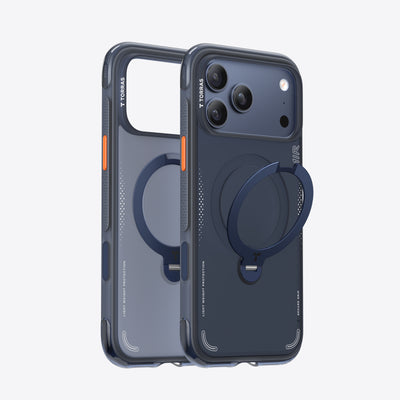
What actually separates the best cell phone case for drop protection from one that just looks protective? Look for these engineering features:
- Airbag corner protection: Hollow air chambers built into corners compress on impact to slow the rate of force transfer.
- MIL-STD-810G certification: A US Department of Defense testing standard that ensures real-world drop resistance.
- Raised edges around the screen and camera: A lip that prevents direct surface contact on flat drops.
- TPU and polycarbonate construction: TPU provides shock absorption, while PC adds rigid structural support.
- Anti-slip grip texture: Textured surfaces provide meaningful grip improvement to reduce drop frequency.
Stop Leaving Your Phone's Safety to Chance
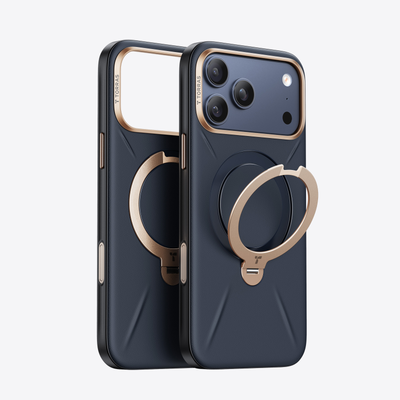
A dropped phone is a reminder that protection matters before the fall, not after. If your current case did not stop the damage, it may be time to upgrade to one built around real drop protection technology. Explore cell phone cases built with airbag corner protection and tested drop performance.
FAQs
Q1. Should I Turn My iPhone Off After Dropping It?
If the phone dropped in liquid, turn it off immediately. For a dry surface drop, there is no need to power it off unless the phone is behaving erratically, as keeping it on allows you to run functional tests.
Q2. Can Dropping an iPhone Damage It Without Cracking the Screen?
Yes. Internal components like the battery, camera stabilization system, and antenna arrays can be stressed or shifted by a drop even when the exterior glass appears completely intact.
Q3. What Does Dropped Phone in Toilet Mean for Water Damage?
Retrieving and drying it immediately is critical. Power it off, pat the exterior dry, and allow it to air dry. Avoid using heat sources like hair dryers, which can cause further internal damage.
Q4. How Much Drop Protection Does a Phone Case Actually Provide?
The level of protection depends on design features like airbag corner chambers and military-grade certification. A basic slim case may only protect against scratches, whereas an engineered shockproof case significantly reduces impact damage.

 New
New


TORRAS Bot
The TORRAS Pebble Power Bank offers a balanced combination of portability, design quality, and dependable charging performance. Its unique pebble-inspired shape distinguishes it from traditional power banks while improving everyday usability.