
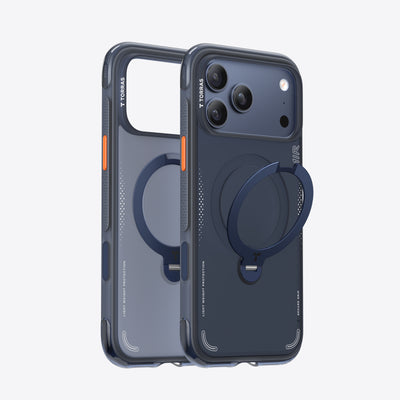
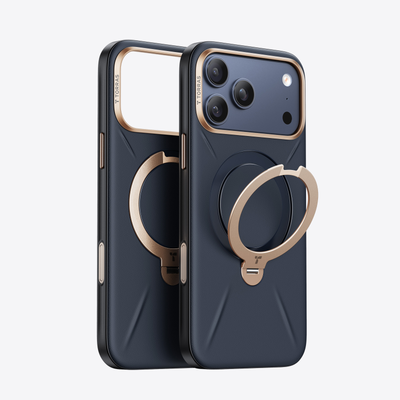

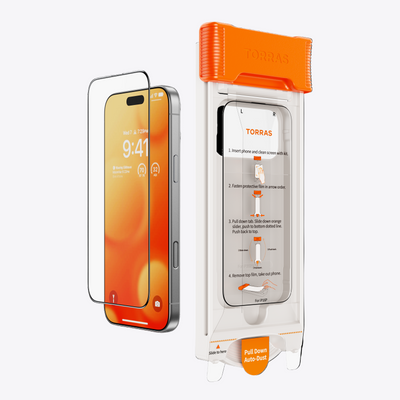
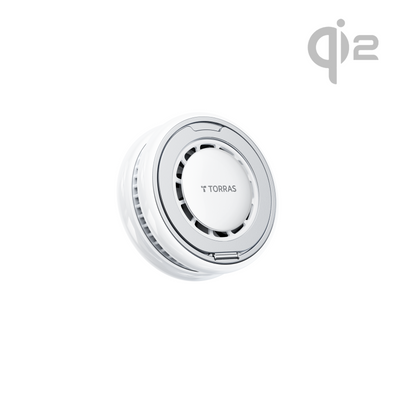
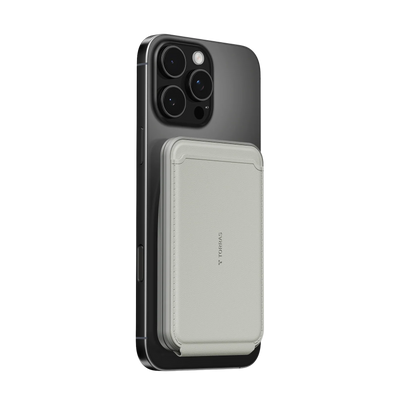


Content creators ask more from a phone case than most users ever will. The iPhone 17 Pro Max case that works for a casual user might block the Camera Control button, skip the stand entirely, or use magnets too weak for a reliable mount. For anyone shooting, editing, and publishing from their phone, those gaps show up fast. Here is what actually matters in a case built around a creative workflow, and how to find one that keeps up.
What Content Creators Actually Need From an iPhone 17 Pro Max Case
Most users need a case that protects the phone and stays out of the way. Creators need it to actively support how they work. The demands are different across four key areas:
- Drop protection that handles real shooting conditions: Phones get set down on concrete, passed between collaborators, and balanced on uneven surfaces. A case with air cushion corner technology (hollow pockets built into each corner that compress on impact to absorb force) and a verified drop rating handles these scenarios far better than a basic bumper design.
- A built-in stand for hands-free shooting: Holding the phone for extended recording is impractical. A case with an integrated stand removes that constraint entirely.
- Full Camera Control access: The Camera Control button (a dedicated physical key on the right side of the iPhone 17 Pro Max for launching and adjusting the camera) needs a precise cutout that allows full button and gesture functionality without obstruction.
- Strong MagSafe compatibility: Accessories cycle in and out constantly during a shoot. Weak magnets mean loose mounts, interrupted charging, and accessories that don't seat reliably.
When an iPhone 17 Pro Max case covers all four of these, it stops being a passive accessory and becomes part of the workflow itself.

Why a Built-In Stand Makes an iPhone 17 Pro Max Case Essential for Video Work
A phone lying flat or propped against something unstable is not a content creation tool. A stable, adjustable stand built directly into the case changes that completely.
Hands-Free Shooting at Any Angle
A 360-degree rotating stand (a foldable ring integrated into the back of the case that pivots fully and holds the phone at any angle) gives creators full control over framing without a tripod for shorter clips, time-lapses, or talking-head video. The stand adjusts through a wide vertical tilt range for standard desk-height shots and a horizontal rotation range for low-angle or side-mounted framing.
For creators who work across portrait and landscape formats, full rotation is not optional. A stand locked to a single orientation cuts half the shooting formats out of the workflow immediately.
Stability During Editing and Review
The stand is just as useful off-camera as on. Reviewing footage, checking color on a propped screen, or following a script hands-free during a recording session all benefit from a stable angle that holds without adjustment. A stand that maintains its position under light screen pressure, rather than slowly tilting or collapsing, is the functional baseline for any serious use.
A stand tested to over 30,000 open-and-close cycles provides a concrete durability reference for a mechanism that gets used multiple times per day across a long shooting career.

How MagSafe Compatibility in an iPhone 17 Pro Max Case Supports a Creator Setup
MagSafe (Apple's magnetic alignment system built into the back of the iPhone) enables a range of accessories that attach, detach, and reattach in seconds. For creators, that speed and reliability matters more than it does for casual users.
During a typical shoot, the phone moves through multiple setups quickly. A MagSafe-compatible iPhone 17 Pro Max case needs to handle all of it without friction:
- Transit to location: Snaps onto a magnetic car mount for navigation, holds securely during movement without slipping or misaligning
- Between takes: Seats onto a MagSafe charging pad instantly to top up battery, no case removal needed
- On set: Attaches to a magnetic tripod adapter or mount for a specific angle, detaches and reattaches in one motion as the setup changes
- After the shoot: Switches back to a charging pad or power bank without any cable management
A case with strong N52-grade magnets (the highest strength rating in the standard consumer magnet classification) delivers the attachment force needed for each of these transitions to hold reliably under real shooting conditions.
Camera Control Access and Why It Matters in an iPhone 17 Pro Max Case
The Camera Control button on the iPhone 17 Pro Max is one of the most useful tools a creator has on the device. It launches the camera instantly, adjusts settings through swipe gestures, and triggers recording without tapping the screen. A case that covers, stiffens, or partially blocks this button removes that functionality from the shooting workflow.
The cutout requirement is more precise than a standard button opening. Camera Control uses both press and swipe inputs, which means the surrounding case material needs to clear the button surface completely without a raised lip that interrupts the swipe gesture. A case built specifically for the iPhone 17 Pro Max accounts for this. A generic or poorly fitted case frequently does not.
For creators who rely on Camera Control for one-handed shooting, quick setting changes between clips, or reducing on-screen touch interference during recording, this cutout precision is a non-negotiable case specification.

How to Choose the Best iPhone 17 Pro Max Case for a Creative Workflow
Narrowing down the right case comes down to matching features to the specific demands of content creation. The table below maps the key specs to what each one means in practice.
| Feature | Why It Matters for Creators |
| Built-in 360° rotating stand | Hands-free shooting in portrait and landscape without a tripod |
| Stand durability rating | Ensures reliable performance across long-term daily use |
| Drop protection rating | Covers real-world shooting environments, not just controlled drops |
| Camera Control cutout precision | Full button and gesture access during shooting |
| MagSafe magnet strength | Reliable accessory attachment and quick transitions between mounts |
| Wireless charging pass-through | Keeps the phone charged between sessions without case removal |
| Raised camera lip | Protects lenses when the phone is set down on surfaces |
A case that covers every spec on this list supports every stage of the creative workflow without requiring trade-offs. For creators who shoot, edit, and publish from one device, an iPhone case with a stand that combines all of these features in a slim, MagSafe-compatible design is the most practical single solution.
Build Your Creative Setup Around the Right Case
The right iPhone 17 Pro Max case for a content creator is one that actively supports the workflow rather than just protecting the hardware. A stable built-in stand, precise Camera Control access, strong MagSafe compatibility, and verified drop protection together cover every demand that creative use puts on a case. Get the setup right and the phone becomes a more capable production tool from the moment it leaves your pocket.
FAQs
Q1. Does an iPhone 17 Pro Max Case With a Stand Work With a Tripod?
A case with a built-in ring stand is not a direct tripod replacement for extended professional shoots, but it handles the majority of hands-free shooting scenarios without one. For creators who also use tripods, a MagSafe-compatible case pairs with magnetic tripod adapters that attach to the case directly, combining the built-in stand for quick setups with full tripod support when needed.
Q2. Will a Thick Protective Case Block the Camera Control Button on the iPhone 17 Pro Max?
It depends on the case design. Cases built specifically for the iPhone 17 Pro Max account for the Camera Control button's position and gesture requirements with a precise cutout. Cases designed for earlier models or generic fits frequently miss this opening entirely. Always verify that the case explicitly mentions Camera Control compatibility before purchasing.
Q3. How Many Accessories Can a MagSafe iPhone 17 Pro Max Case Support?
MagSafe supports a wide range of accessories including car mounts, wallets, charging pads, tripod adapters, and battery packs, all using the same magnetic interface. The number of accessories a case supports depends on magnet strength and alignment rather than a specific count. A case with N52-grade magnets handles the full range of MagSafe accessories reliably across different attachment types.
Q4. Is Drop Protection Necessary for a Content Creator's iPhone Case?
Yes, and often more so than for regular users. Content creation environments involve more physical risk than typical daily use, including outdoor locations, shared handling between collaborators, and phones being set on uneven or rough surfaces during shoots. A case with a verified drop rating covers these scenarios with a tested standard rather than a general claim, which makes it a more reliable choice for any active shooting environment.

 New
New


TORRAS Bot
The TORRAS Pebble Power Bank offers a balanced combination of portability, design quality, and dependable charging performance. Its unique pebble-inspired shape distinguishes it from traditional power banks while improving everyday usability.