

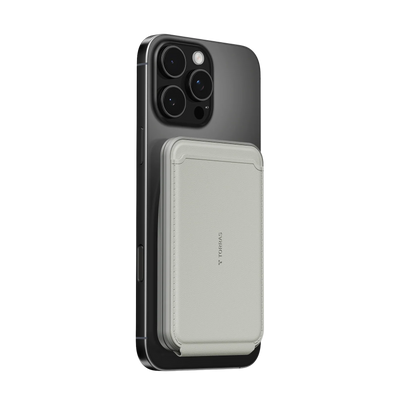


A tangled cable on your desk is a small problem that compounds across every workday. Wireless charging removes one more piece of friction from your routine, and for a home office where your phone is always within reach, that matters more than most people expect. Here is what switching to wireless charging actually changes about the way you work.
Why Cable Clutter Is a Bigger Problem Than Most Home Office Workers Realize
Most home office desks collect cables gradually. A charging cable here, a second one for the laptop, another for earbuds, and suddenly the workspace that was supposed to support focus is working against it. The problem is not just visual. Physical clutter competes for attention in the same way a notification does, and a desk with fewer loose items genuinely reduces the mental load of sitting down to work.
Cable clutter in a home office creates specific friction points throughout the day:
- Every time you pick up your phone, you deal with the cable. Unplugging, replugging, knocking other things over. It seems minor until you do it fifteen times in a day.
- Charging cables limit where your phone can sit. A wired phone stays tethered to the outlet, which is rarely at a useful angle for calls or notifications.
- Cables wear out and create recurring costs. Repeated plugging and unplugging degrades both the cable and the port over time, especially with frequent daily use.
Switching to wireless charging does not just clean up the surface. It changes the physical relationship between you and your phone during the workday.

How Wireless Charging Changes the Way You Work at Your Desk
Wireless charging is not just a convenience upgrade. It shifts how your phone fits into your work routine in ways that are noticeable within the first week of using it.
Charging Becomes a Passive Habit, Not a Task
With a wireless charging pad on your desk, charging requires nothing from you. You set the phone down and it charges. You pick it up and it stops. There is no cable to manage and no decision to make. For anyone who keeps their phone face-down during focus blocks, a wireless pad fits that habit without adding any steps. Removing small friction points consistently is how productive routines actually get built.
Your Desk Stays Clear Without Any Extra Effort
A wireless charging pad, which uses electromagnetic induction to transfer power to a compatible phone without a physical connection, replaces the loose cable entirely. The only wire in the setup runs from the pad to the wall, and that cable stays fixed and out of the way.
A wireless charging stand takes this further by propping the phone upright at a viewing angle. For a home office desk, the stand format tends to work better than a flat pad because it keeps the phone visible for notifications and video calls without taking up much surface space.
You Stop Wearing Out Your Charging Port
Repeated plugging and unplugging stresses the USB-C port over time, especially with frequent daily use. Wireless charging eliminates that wear entirely. For anyone who charges their phone multiple times a day at their desk, switching to wireless extends the physical life of the port without any change in how often the phone charges.
What to Look for in a Wireless Charger for Your Home Office Desk
Not all wireless chargers perform equally in a desk environment. For all-day home office use, a few features make the biggest practical difference:
- Active cooling. Wireless charging generates heat as a byproduct of the energy transfer process. A charger with active cooling, either fan-based or thermoelectric, which refers to a system that draws heat away from the charging surface, manages that heat during extended sessions. This protects battery health and keeps charging efficiency stable throughout the day.
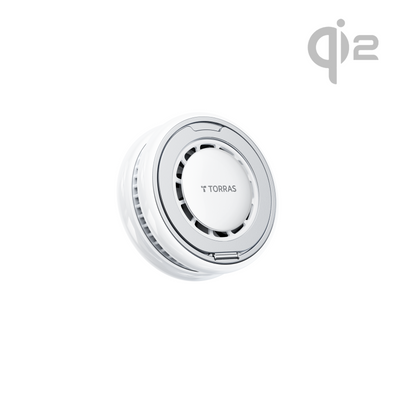
- Qi2 compatibility. Qi2, which stands for the second generation of the Wireless Power Consortium's magnetic charging standard, delivers up to 15W on compatible iPhones and ensures precise magnetic alignment. The phone charges at full speed every time without manual repositioning.
- Stand design with adjustable angle. A charging stand that supports multiple viewing angles is more useful at a desk than a flat pad. It keeps the phone visible for notifications and video calls without requiring you to pick it up.
- Low-profile footprint. A charger that sits flat and compact on the desk does not compete for workspace. Slim designs integrate into a desk setup without dominating the surface.
- Quiet operation. For a home office environment, a charger that runs silently or at very low noise levels is worth prioritizing over louder alternatives, especially during calls or focused work sessions.
How to Build a Simple Wireless Charging Routine That Actually Sticks
The best charging setup is one that requires no thought. Here is how to make wireless charging a habit that works all day without any maintenance:
- Place the charger where your phone already lands. If you naturally set your phone on the right side of your keyboard, that is where the charger goes. Changing where you put things down is harder than changing what happens when you put them there.
- Use the stand format for video call hours and the pad for focus blocks. A stand keeps the phone visible when you need it and easy to ignore when you do not. Swapping between modes takes seconds.
- Charge the phone fully before your workday starts. A topped-up phone that you wireless charge throughout the day stays above 80 percent consistently, which is the range that puts the least stress on the battery over time.
- Remove thick non-compatible cases. Wireless charging works through most standard cases, but very thick cases or cases with metal components can reduce efficiency. Checking compatibility once saves repeated frustration

Make Your Desk Work Harder for You
Wireless charging is one of the simplest upgrades a home office can get. It removes daily cable friction, keeps your desk cleaner, and turns charging into a passive habit that happens in the background while you work. Match the right wireless charger to your desk setup and the difference shows up on day one. A cleaner desk and a phone that is always charged is a small change that compounds every single workday.
FAQs
Q1. How Do I Check if My Phone Supports Wireless Charging?
The easiest way is to check your phone's official specifications page on the manufacturer's website and look for "wireless charging" or "Qi" listed under the charging section. Most iPhones from iPhone 8 and later support wireless charging, as do the majority of flagship and mid-range Android phones released in recent years. If your phone supports wireless charging, it will work with any Qi or Qi2 certified charger without any additional setup required.
Q2. How Far Does My Phone Need to Be From the Charging Pad to Stop Charging?
Most wireless chargers stop delivering power as soon as the phone is lifted more than a few millimeters from the surface. Unlike wired charging, there is no gradual disconnect. The moment the magnetic or inductive connection breaks, charging stops, which means picking up your phone during a call or to check a notification ends the session instantly without any action required on your part.
Q3. Is It Safe to Leave My Phone on a Wireless Charger All Day?
Yes, modern wireless chargers include built-in protections against overcharging, overheating, and over-voltage, so leaving your phone on the pad throughout the workday is safe. Most smartphones also have their own charging management systems that regulate how much power they draw once the battery is full. For extended desk sessions, choosing a wireless charger with active cooling helps maintain lower temperatures throughout the day, which is better for long-term battery health.
Q4. Will Wireless Charging Work With My Phone Case On?
Wireless charging works through most standard phone cases, including plastic, silicone, and thin leather cases. Cases with metal components, built-in card holders with metal plates, or very thick materials can interfere with the charging signal and reduce efficiency. Checking whether your case is listed as wireless charging compatible before purchasing a wireless charger is the simplest way to confirm compatibility.

 New
New


TORRAS Bot
The TORRAS Pebble Power Bank offers a balanced combination of portability, design quality, and dependable charging performance. Its unique pebble-inspired shape distinguishes it from traditional power banks while improving everyday usability.