



Every flagship season, millions of people search the same question: iPhone or Samsung? The answer depends entirely on how you actually use your phone, not which brand runs the best ad campaign. Whether you are switching from iPhone to Samsung for the first time or going the other direction, getting the decision right also shapes what comes next, including the samsung phone cases and accessories that protect your investment for the next two years. Here is what actually separates the two.
iPhone vs Samsung: How the Two Flagships Actually Compare Day to Day
The iPhone 17 Pro Max and the Galaxy S26 Ultra sit at the top of what smartphones can do right now. They are close enough to raw performance that most people will never feel a meaningful difference in speed. The table below breaks down where they actually differ across the dimensions that matter most day to day.
| Feature | iPhone 17 Pro Max | Galaxy S26 Ultra |
| Display | Tight color calibration, accurate across apps and media | Higher peak outdoor brightness, easier to read in sunlight |
| Performance | Leads in single-core speed, faster app launches | More RAM, stronger multitasking across multiple apps |
| Battery | Smaller capacity, closed by chip efficiency | Larger battery capacity in raw mAh |
| Camera Style | Lighter processing, truer-to-life results | More vivid and punchy output straight from the camera |
| Stylus | None | Built-in S Pen for notes, sketches, and precision tasks |
| AI Features | Apple Intelligence: writing tools, photo cleanup, Siri | Galaxy AI: live translation, note summarization, image editing |
Neither phone is a clear winner across every row. The table shows where each one leads, and which column matters more to you is what should drive the decision.

Switching From iPhone to Samsung (or Back): What It Really Costs You
Switching phones is never just about hardware. Every platform comes with an ecosystem attached, and walking away from it has a real cost that goes beyond the price of the new device.
Ecosystem and App Compatibility
iPhone runs iOS and connects tightly with other Apple products including Mac, iPad, Apple Watch, and AirPods. Features like AirDrop, which lets you wirelessly transfer files between Apple devices instantly, and Handoff, which allows you to start a task on one Apple device and continue it on another, are exclusive to the Apple ecosystem. If you use several Apple devices daily, switching to Samsung means giving those up.
Samsung runs Android with One UI layered on top. It integrates naturally with Google Workspace, Windows PCs, and services like Google Drive and Google Photos. If your work or personal life is already organized around Google's tools, Android fits more seamlessly from day one.
iMessage is one of the most common friction points when switching. It runs only on Apple devices, and contacts who use iMessage will see your messages switch to standard SMS when you move to Android, which can create minor but noticeable communication disruptions.
Accessories and Charging Compatibility
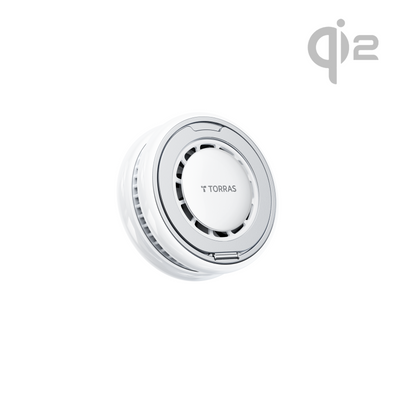
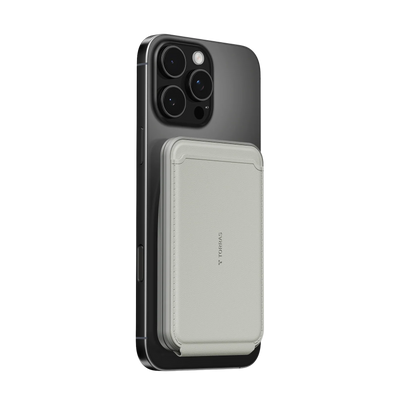
MagSafe is Apple's proprietary magnetic accessory standard, which allows compatible cases, chargers, and wallets to attach magnetically to the back of iPhone. Qi2 is a universal magnetic charging standard developed by the Wireless Power Consortium and adopted by Samsung starting with the S26 series. The two standards share similar magnetic alignment principles but are not identical ecosystems.
A few practical switching costs to account for:
- MagSafe accessories including car mounts, chargers, and magnetic wallets are iPhone-specific and will not snap to Samsung phones without a compatible case
- Qi2 chargers work across both platforms, so any Qi2 charger you already own transfers cleanly to Samsung
- iCloud storage does not carry over; Google Photos or Samsung's own cloud service are the standard alternatives
- Contacts and photos transfer easily via both Samsung's Smart Switch app and Google's migration tool

How to Pick the Right Samsung Phone Case or iPhone Case After You Decide
Once you have committed to a platform, the next decision is choosing a case that actually fits how you use that phone. Samsung phone cases and iPhone cases are not interchangeable, and each platform has its own set of specs worth verifying before buying.
What to Look for in a Samsung Galaxy Case
Samsung phone cases for the Galaxy S26 Ultra need to account for a few things that generic cases miss:
- S Pen cutout: Galaxy S26 Ultra cases need a precise cutout for the stylus slot at the bottom of the phone. Cases not built specifically for this model will block the S Pen completely.
- Qi2 magnet compatibility: The S26 Ultra supports native Qi2 magnetic alignment with a compatible case. Look for cases with embedded magnets that match the Qi2 standard for full wireless charging speed and accessory attachment.
- Drop rating: Mil-grade or military-grade drop protection indicates the case has been tested against MIL-STD-810, a set of standardized drop and shock tests used as a baseline across the industry.
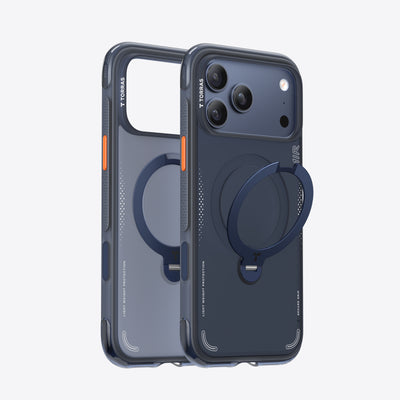
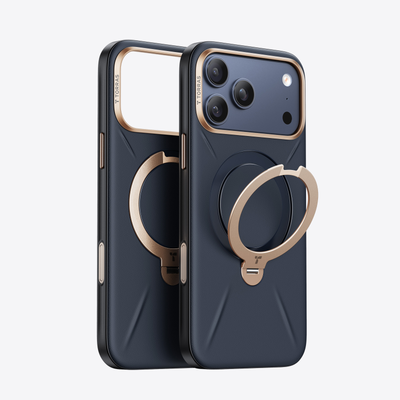
The TORRAS Ostand Q3 Air for Samsung Galaxy S26 Ultra is built specifically for this phone. It includes a dedicated S Pen slot, 18N magnetic force for Qi2 accessories, and an industry-lead Air-Tech System for 12-foot drop protection. The 360° rotating aerospace-aluminum kickstand folds completely flat when not in use and locks at your preferred angle for hands-free viewing in both portrait and landscape.
What to Look for in an iPhone Case
iPhone cases come with their own compatibility checklist:
- MagSafe compatibility: MagSafe-compatible cases contain a precisely aligned ring of magnets that let accessories snap on securely and charge at full wireless speed. Cases without proper magnet alignment reduce charging speed and weaken magnetic hold.
- Model-specific fit: iPhone dimensions, camera modules, and button placements change with each generation. Always confirm the case lists your exact model before purchasing.
- Drop protection rating: Look for a case that specifies its drop rating in feet or meters with a recognized testing standard rather than general terms like "protective" or "tough."
The TORRAS Ostand Q3 Air for iPhone 17 Pro Max carries the same core feature set as its Samsung counterpart: a 360° rotating kickstand, 12ft drop protection, and full MagSafe compatibility. Users on either platform get a consistent, well-tested case design regardless of which phone they chose.

Pick Your Phone and Protect It From Day One
The iPhone vs Samsung decision comes down to ecosystem fit, camera preference, and how much you value an open versus a tightly integrated platform. Neither is a wrong answer. What matters after you decide is locking in your new phone with a case that matches how you use it. Explore samsung phone cases and iPhone cases built for your specific model and find one that covers both protection and the features you will actually reach for every day.
FAQs
Q1. Is It Hard to Switch From iPhone to Samsung?
The transfer process itself is straightforward using Samsung's Smart Switch app, which moves contacts, photos, and most app data in one session. The bigger adjustment is losing Apple-specific features like iMessage, AirDrop, and native Apple Watch support, none of which carry over to Android. Most users feel fully comfortable with the new platform within two to four weeks of regular use.
Q2. Do Samsung Phone Cases Fit Across Different Galaxy Models?
Samsung phone cases are designed for specific models and do not transfer reliably across generations, even within the Galaxy S series. Camera modules, button placement, and body dimensions change meaningfully between model years. Always confirm the case explicitly lists your exact model, such as Galaxy S26 Ultra versus S25 Ultra, before purchasing.
Q3. What Happens to My MagSafe Accessories if I Switch to Samsung?
MagSafe is an Apple-proprietary standard, so MagSafe chargers and accessories will not magnetically attach to a Samsung phone. Qi2-compatible accessories work across both platforms, and the Galaxy S26 Ultra supports Qi2 natively with a compatible case. Transitioning to Qi2 accessories before or during your switch gives you the most flexibility regardless of which platform you land on.
Q4. Which Phone Is Better for Content Creators?
Both phones produce professional-quality video and photos, but they suit different workflows. Samsung Galaxy S26 Ultra's S Pen and Samsung's native editing tools make it particularly useful for on-device annotation, sketching, and document work alongside video. iPhone's video color science and tight integration with desktop editing software like Final Cut Pro make it a strong choice for creators who edit on a Mac. The right answer depends on where your editing workflow lives.

 New
New


TORRAS Bot
The TORRAS Pebble Power Bank offers a balanced combination of portability, design quality, and dependable charging performance. Its unique pebble-inspired shape distinguishes it from traditional power banks while improving everyday usability.