


A MagSafe power bank for iPhone 18 Pro Max keeps your phone available between outlets when its capacity, magnetic setup, and carry method fit the day ahead. Map-heavy sightseeing calls for a different backup plan than a short train ride or an evening event. A quick test at home tells you if the battery attaches cleanly, stays comfortable to carry, and fits the way you use your phone.
How Much Power Do Navigation, Photos, and Transit Use?
Navigation and camera use usually shape your charging needs more than ticket scans or occasional messages. Review your phone's battery activity after a typical day out, then identify the periods when you need the display, location, or camera most.
Map Your High-Use Moments
- Navigation: Maps keep the display, location services, and data connection active for long stretches.
- Photos and video: The camera, bright display, and image processing can draw power quickly during a sightseeing stop or event.
- Transit and communication: Tickets, payment apps, and messages use less power individually, but you need a dependable battery level when a boarding time or pickup changes.
Set a Recharging Trigger
Pick a battery percentage that prompts a top-up before the phone becomes inconvenient to use. For some trips, that is after a morning route; for others, it is during an afternoon transit break. This iPhone travel charging routine turns a power bank into planned backup instead of an emergency accessory.

Will Your Case Hold a Magnetic Power Bank Securely?
A magnetic power bank with case support should attach flat, centered, and without another accessory between the phone and battery. The case needs a built-in magnetic ring intended for magnetic accessories; a clean, level phone back gives the battery its best contact.
Test the Attachment at Home
Use your regular case and repeat these checks before packing:
- Attach the battery and confirm that it sits centered over the charging area.
- Hold the phone as you normally would, then make a few ordinary movements around the room.
- Remove any wallet, card holder, or metal-backed accessory before charging.
- Check that the battery stays flat and that the phone remains comfortable to hold.
Separate Carrying From Charging
An attached battery suits maps, messages, and waiting for transit. When the phone goes into a tight pocket or crowded bag, store the battery separately in a small pouch. That keeps pressure from shifting the two devices and leaves the phone easier to reach.
5,000mAh or 10,000mAh? Match Capacity to Your Trip
A 5,000mAh class battery keeps bulk down for a shorter outing, while a 10,000mAh class battery gives you a larger reserve for long days away from an outlet. Rated capacity is a planning number, not a promise of a specific percentage added to your phone, because wireless charging uses energy during transfer.
| Travel Situation | Capacity Direction | Packing Priority |
|---|---|---|
| Short errand or evening out | 5,000mAh class | Low bulk |
| Full day of maps, photos, and transit | 10,000mAh class | Extra reserve |
| Weekend with overnight outlet access | Match the day's expected use | Easy recharging |
| Long transfer or outdoor event | 10,000mAh class | Bring a short cable |
A slim magnetic battery pack is easier to keep attached during a light-use day. For a phone that will handle extended directions, frequent photos, and late travel changes, the larger class offers more room in the plan. Test the setup on one normal outing before relying on it for a trip.

How Do You Charge on the Move Without a Cable in Hand?
Magnetic charging works well for steady top-ups while you are seated, strolling at an easy pace, or waiting for transit. It keeps your phone available for the screen tasks that matter without a cable hanging from your hand or bag.
Use Magnetic Top-Ups for Active Phone Time
Attach the battery when you are using maps, checking a departure time, or replying to messages. Keep the back of the phone clear so the battery can sit flat. If you switch to a crowded pocket or bag, detach it and store it separately.
Keep a Cable for a Fast Catch-Up
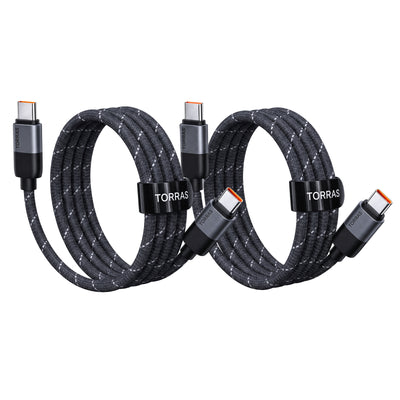
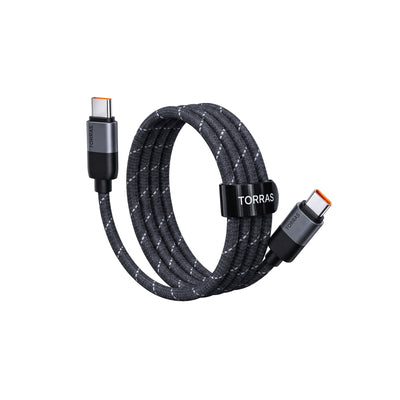
Use a short cable at a hotel, airport seat, or cafe table when you need to add power in a fixed spot. The cable is the backup method for a quicker charging window; the magnetic connection is the convenient option for use while moving around.
For longer travel days, a MagSafe power bank for iPhone 18 Pro Max gives you a convenient magnetic option for steady top-ups and a wired backup when your schedule changes.
Top Up Before It Is Urgent
- Add power during a meal, transit wait, or other natural pause.
- Put the battery away once the phone has enough reserve for the next part of the day.
- Recharge both devices at the end of the day when an outlet is available.
What Should You Know About Heat During Longer Charging Sessions?
Some warmth is normal during charging, but direct sun, a bright screen, navigation, and a closed bag can raise the temperature further. Give the phone and battery open air when possible, and move them out of direct sun during a long charging session.
Reduce Heat Sources
- Charge on an open surface instead of inside a packed bag.
- Pause extended video recording or other demanding tasks while topping up.
- Keep the contact surfaces clean and free of stacked accessories.
- Use a cable in a fixed location if you need a faster recharge before leaving.
Pause if the Phone Gets Too Warm
If the phone reduces charging or displays a temperature alert, disconnect the battery and let both devices cool in a shaded, open place. Resume after they return to a normal temperature. That approach also makes it easier to see whether the heat came from charging, sun exposure, or a demanding app.

Keep Your Travel Day Moving With a Magnetic Power Bank
Match your battery size to the time you expect to spend away from power, test its hold with your everyday case, and use short top-ups during natural breaks. A prepared MagSafe power bank for iPhone 18 Pro Max keeps maps, tickets, photos, and messages within reach through the last leg of the day.
FAQs
Q1. Can I Bring a Magnetic Power Bank on a Flight?
Yes. A power bank is a spare lithium battery, so FAA carry-on battery rules place it in carry-on baggage, not checked luggage. Banks up to 100Wh are generally permitted; confirm your airline's current rules before departure.
Q2. How Do I Read a Power Bank's Watt-Hour Rating?
Look for the Wh value on the battery label or product specifications. It is the figure airlines use for spare-battery limits. If only mAh and voltage appear, use the manufacturer's stated Wh value instead of estimating from a listing.
Q3. Can Battery Saver Mode Run While a Magnetic Power Bank Is Attached?
Yes. Battery Saver Mode reduces some phone activity while the magnetic battery supplies power. It is useful when you need the remaining charge to cover a long stretch of maps, messaging, or transit updates.
Q4. How Should I Store a Power Bank Between Trips?
Store it in a cool, dry place away from keys, coins, and loose metal objects. Keep its cable with it, and inspect the housing and ports before your next trip. Use the manufacturer's storage instructions for the exact model.
Q5. What Should I Do With a Damaged Power Bank Before Travel?
Set aside any power bank with a swollen housing, damaged cable, or exposed connector. Follow the manufacturer's support or local battery-recycling instructions, then pack an undamaged backup for the trip.

 New
New


![[US Only]GlassGo Screen Protector for iPad Air](http://torraslife.com/cdn/shop/files/20260410-095726_400x400.png?v=1775786532)


TORRAS Bot
The TORRAS Pebble Power Bank offers a balanced combination of portability, design quality, and dependable charging performance. Its unique pebble-inspired shape distinguishes it from traditional power banks while improving everyday usability.