
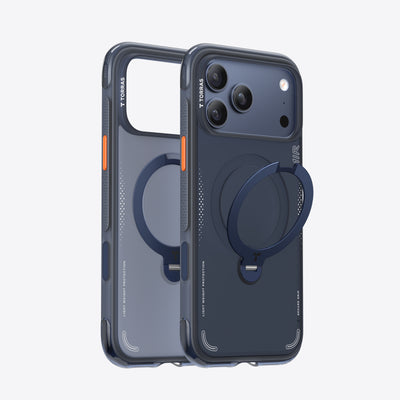
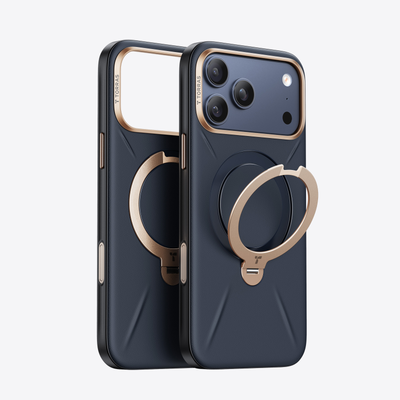
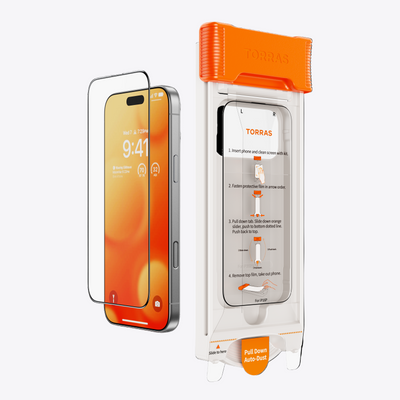


A clean screen protector should disappear into the phone, not peel up the moment a case snaps on. For anyone choosing an iPhone 16 Pro Max screen protector, edge lifting is one of the most annoying fit problems. It usually comes down to tiny spacing issues between the glass, adhesive, and case. Pick the right fit from the start, and your screen can stay smooth, clear, and case friendly.
Why an iPhone 16 Pro Max Screen Protector Lifts at the Edge
Edge lifting happens when the screen protector cannot sit flat against the display. Once a small edge rises, air and dust can slip underneath and make the problem spread.
Common causes include:
- Case pressure: A tight case lip can press against the protector’s border and push it upward.
- Slight misalignment: If the protector sits too close to one side, the case may touch that edge after installation.
- Dust near the edge: Small dust or lint can weaken the adhesive and create tiny air gaps.
- Poor edge bonding: If the adhesive does not seal well around the border, the protector is more likely to lift during daily use.
A well-fitted iPhone 16 Pro Max screen protector should leave enough room for the case while staying flat and secure around the edges.

How Case Design Affects an iPhone 16 Pro Max Screen Protector
Your case and screen protector have to share the same narrow space around the screen. If both are designed to cover as much area as possible, they may compete for room.
That is why a case that looks protective can still cause lifting with the wrong protector.
Raised Edges Can Touch the Protector
Raised edges help protect the front of the phone, especially when it is placed face down. The issue starts when those edges reach too far inward.
If the raised case edge touches the screen protector, each press, pocket movement, or case adjustment can push against the glass. Over time, the protector may lift near corners or along the sides.
A case friendly iPhone 16 Pro Max screen protector leaves a little breathing room near the border. That small gap helps the case and protector work together instead of rubbing against each other.
Tight Cases Leave Less Room
Some cases are designed to fit very snugly. A snug fit can feel secure, but it may leave less space around the screen area.
When the case is pushed onto the phone, the corners may stretch slightly over the device. If the protector is too close to the case edge, the case can catch it and lift it during installation.
This is why the order of installation matters. A protector should be centered first, then the case should be added slowly.
Corners Are Common Trouble Spots
Corners often lift first because they receive pressure from several directions. A case corner may wrap tightly around the phone, while the screen protector corner may sit close to the same area.
The result is a small point of contact. Once that point lifts, dust and air can enter more easily.
Check the corners after installing the case. If they stay flat, the rest of the protector is more likely to hold well.
What iPhone 16 Pro Max Screen Protector Specs Help Prevent Edge Lifting
A good fit is not only about screen coverage. The best iPhone 16 Pro Max screen protector for case users should balance coverage, edge clearance, adhesive strength, and installation accuracy.
Do not choose based only on the widest glass. More coverage is not always better when a case is involved.
Case Friendly Cut
A case friendly cut means the screen protector is shaped to leave enough space around the edges for most phone cases. It may not cover every tiny part of the front glass, but it gives the case room to fit without pushing the protector.
This design is often better for daily use because it lowers the risk of edge lifting.
If you use a thick or highly protective case, a case friendly screen protector is usually the safer choice.
Full Adhesive Coverage
Full adhesive coverage means the bonding layer spreads across the entire protector instead of only selected areas. This helps the glass sit flat and reduces weak spots near the edge.
Strong edge bonding is especially important for a large screen. A weak edge can catch dust, feel rough, or lift when touched by a case.
Look for wording that focuses on firm contact, clean bonding, and easy bubble removal.
Tempered Glass
Tempered glass is glass that has been strengthened through heating and cooling. It is commonly used for screen protectors because it feels smooth, stays clear, and adds a protective layer over the screen.
For edge lifting, the key is not only the glass material. The cut, adhesive, and alignment system matter just as much.
A thick feeling protector is not always better if it does not leave enough space for the case.
Alignment Tray
An alignment tray is a frame or tool that helps place the screen protector evenly on the phone. It reduces the chance of installing the protector too far to one side.
For a large phone, this tool is very useful. It helps the protector stay centered, which gives the case enough space around every edge.
A cleaner install means fewer pressure points once the case is added.

How to Check iPhone 16 Pro Max Screen Protector and Case Compatibility
A search for “screen protector iPhone 16 Pro Max” can show many options, but not all of them are ideal for case users. Before buying, check whether the screen protector is made to work with everyday cases.
A few quick checks can prevent most edge lifting problems.
Check the Case Lip
Look at how close your case lip sits to the screen area. If the case edge is tall and close to the display, avoid a protector that reaches too far toward the border.
You can also check whether the case feels tight near the corners. If it does, edge clearance becomes even more important.
The tighter the case, the more important a case friendly screen protector becomes.
Compare Product Fit Notes
Fit notes are short product details that explain how the protector is designed to sit on the screen. Look for terms that mention case compatibility, edge spacing, easy alignment, or full adhesive coverage.
Avoid choosing only by appearance. A protector that looks larger may create more edge contact with the case.
The best choice is the one that protects the screen while still giving the case enough room.
Read Reviews From Case Users
Reviews can reveal fit issues that product photos do not show. Look for comments from people who used the protector with a case.
Helpful review details may mention:
- Whether the corners stayed flat
- Whether the case pushed the protector up
- Whether installation was easy to center
- Whether bubbles appeared after adding the case
Do not focus only on one review. Look for repeated patterns. If many users mention case fit, that detail is worth noticing.
How to Install an iPhone 16 Pro Max Screen Protector Without Edge Lifting
Even a case-friendly screen protector needs careful installation. The goal is to keep the glass centered, fully bonded, and away from case pressure.
Follow these steps:
- Clean the screen first: Remove dust, lint, and oil before applying the protector. Check the edges closely because small particles near the border can cause lifting later.
- Use the alignment tool: Center the iPhone 16 Pro Max screen protector carefully so it does not sit too close to one side.
- Press from the center outward: This helps push air toward the edges and supports a cleaner bond.
- Let the adhesive settle: Give the protector a little time to sit flat before adding the case.
- Install the case slowly: Start from one side and ease the corners into place. If an edge starts to lift, remove the case gently and check the fit instead of forcing it down.
A careful install helps the screen protector and case fit together without pushing against each other.
Get a Better Fit With the Right iPhone 16 Pro Max Screen Protector
A great iPhone 16 Pro Max screen protector should protect the display and work smoothly with your case. Choose a case-friendly cut, strong adhesive, accurate alignment, and enough edge clearance. If your current protector keeps lifting, the fit may be the real problem. Pick a screen protector designed for case use, and keep your phone looking clean, smooth, and protected every day.
FAQs
Q1. Why Does My iPhone 16 Pro Max Screen Protector Lift After Putting On a Case?
It usually lifts because the case edge is pressing against the protector. The screen protector may also be slightly off center, leaving one side too close to the case. Dust or weak bonding near the edge can make the lifting worse.
Q2. What Screen Protector Is Best for iPhone 16 Pro Max With a Thick Case?
A case friendly iPhone 16 Pro Max screen protector is usually the best match. It should leave enough edge space for the case while still covering the main screen area. Strong adhesive and an alignment tray also help reduce lifting.
Q3. Does a Curved Screen Protector Fix Edge Lifting on iPhone 16 Pro Max?
Not always. A curved edge may look smooth, but it can still lift if the case touches it or if the adhesive does not bond well. Case clearance and correct alignment are more important than the curved shape alone.
Q4. Should I Apply the Screen Protector Before or After Putting On the Case?
Apply the screen protector before putting on the case. This makes it easier to center the protector and press out air. After it is flat, add the case slowly so the case edge does not push the protector upward.

 New
New


Becca Farsace
Emmy-winning filmmaker and creator Becca Farsace takes tech outside. A former senior video producer at The Verge, she has created and produced over 250 videos, becoming the first staffer to surpass 6.5 million views on TikTok. Now a full-time tech creator, she's built a go-to YouTube channel for adventurous, real-world tech reviews. Becca blends cinematic storytelling with a sharp strategic lens to help brands and audiences connect with technology in a more human, compelling way.