

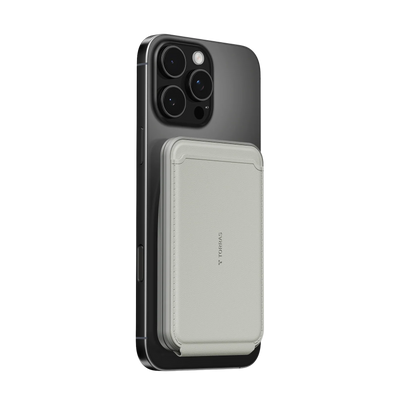


Getting a tight iPhone case off without scratching the frame or triggering the Camera Control button takes the right sequence. Start from the bottom corners on flexible cases and use a gentle camera-push on rigid ones. This approach keeps both your $1,200 phone and the case intact, especially when switching for a deep clean or swapping to a case that matches your commute.

What to Do Before You Remove Your iPhone Case
A few quick preparations stop most accidents before they start. Wash your hands to remove oils that make the case slippery and reduce your grip. Work over a soft surface like a bed, sofa cushion, or microfiber cloth so the phone has a safe place to land if it pops out suddenly.
If you're handling a newer iPhone 17 or 18 and worry about accidental button presses, power the device down. That single step eliminates the chance of an unintended emergency SOS call during removal. These habits matter most when you're in a hurry or dealing with a case that's been on for months and collected pocket lint along the edges.
How to Get an iPhone Case Off Without Damaging the Frame
The universal rule is push-through rather than pull-away. For most flexible TPU or silicone cases, begin at the bottom corners near the charging port. These areas flex more easily, letting you slide your thumb underneath and work the case upward along the sides. Pulling from the long frame edges first is the fastest way to crack a screen protector or bend the titanium rails.
On rigid hard plastic shells, the camera cutout becomes your main leverage point. Rest the phone face-down on the soft surface, place your thumb through the camera opening, and gently push the phone body away while your other hand peels the top-left corner back. This method distributes force evenly and keeps stress away from the delicate side buttons. In my experience, the first pop always feels alarming, but once that corner releases the rest follows smoothly.
Step-by-Step: Removing Hard Plastic vs. Flexible Silicone Cases
Flexible silicone and TPU cases usually slide off after you free the bottom corners. Work your way up each side, lifting the edges gradually. If the case has stretched over time from repeated drops, it may feel looser than when new.
Rigid polycarbonate cases create more resistance, especially clear ones that develop a vacuum seal. For these, a thin plastic card—such as an old credit card or business card—helps break the seal without metal scratches. Slide it carefully along the bottom edge first, then move to the sides. Never insert anything near the Camera Control button on iPhone 17 and 18 models.
Multi-layer cases require a specific order: remove the outer flexible slipcover completely before tackling the inner hard shell. Slightly warming a cold rigid case in your hands for 30 seconds makes the plastic more pliable and reduces the force needed. This tip proves useful after winter pocket carry or when traveling with the phone in a cold car.
According to repair experts at iFixit, a non-metallic card remains the safest tool for stubborn tight fits because it avoids the frame scratches that metal inevitably leaves behind.
iPhone Case Removal: Effort, Risk, and Starting Point by Material
Shows the typical pattern for everyday removal scenarios such as cleaning, travel, or switching cases. Tiers are qualitative only: Low, Medium, or High.
View chart data
| Category | Removal Difficulty | Damage Risk |
|---|---|---|
| Flexible Silicone / TPU | 1.0 | 1.0 |
| Rigid PC / Hard Plastic | 2.0 | 2.0 |
| Multi-layer Case | 3.0 | 2.0 |
| Metal-Integrated / Ostand-style | 3.0 | 3.0 |
This chart clarifies the pattern most people encounter in real life. Flexible daily cases come off with almost no effort, while metal-integrated designs need deliberate technique to protect the hinge.
Safe Removal Tips for Ostand and MagSafe Ring Cases
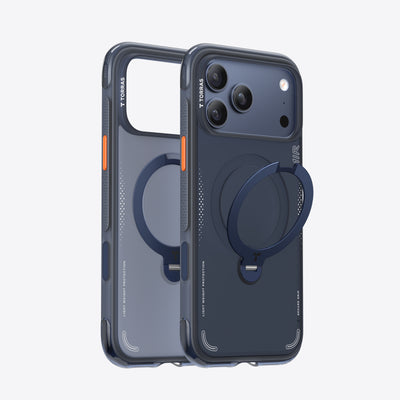
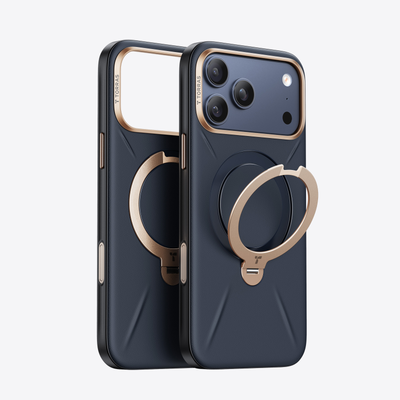
Cases with built-in stands add a layer of rigidity that changes the physics. The Ostand Q3 Spin for iPhone 17 Series features a metal ring that creates zero-flex zones, so the intuitive move of pulling on the stand as a handle is the fastest route to hinge damage.

Always click the ring flush against the case before removal. Then use the camera-push method: thumb through the cutout to ease the phone forward while peeling the top corners. This protects the pivot points that allow the stand to rotate smoothly for video calls or car mounts. In daily use, I've found that treating the ring as a viewing aid rather than a removal lever keeps it working perfectly after months of commuting and pocket carry.
Handling the Camera Control Button on iPhone 17 and 18
Newer iPhones treat the side button area as a no-touch zone during removal. The Camera Control uses a sapphire surface surrounded by sensitive capacitive or pressure sensors. Concentrated prying on that side can cause accidental UI triggers or, on anticipated iPhone 18 designs, mechanical strain on the haptic modules.
Identify the button side first and start your pop from the opposite corners or the camera area. Use a flat-finger grip that spreads pressure across your palm instead of a single fingertip on the sensor. This habit becomes second nature once you've done it a few times and saves the frustration of random camera launches while you're simply trying to swap cases before heading out.
Cleaning and Maintaining Your iPhone Case for Longevity
Dirt and sand trapped under the edges turn into abrasive grit the next time you remove the case. After taking it off, wipe the phone and interior of the case with a soft, lint-free cloth. For a deeper clean, 70% isopropyl alcohol wipes are safe for both the titanium frame and most case materials, according to Apple's official cleaning guidance.
Let everything dry completely before snapping the case back on—trapped moisture can create fogging or long-term discoloration. Make this deep-clean ritual part of your weekly routine, especially after beach days or dusty commutes. For silicone styles, see our guide on How to Clean a Silicone Phone Case. Clear cases benefit from the tips in How to Keep Your Clear Phone Case from Turning Yellow in the First Place.
Choosing the right case from the start makes future removals easier. The Ostand Q3 Air for iPhone 17 Series balances slim fit with reliable MagSafe strength, while the full iPhone 17 Series collection offers options for every grip preference. Browse the broader Phone Case range or check current deals in On Sale when you're ready to upgrade.
Maintaining Your iPhone Case for Longevity
Consistent gentle removal prevents micro-tears that eventually make a case feel loose or brittle. Rotate between two cases if you switch often for work versus weekends—this gives the material time to recover its shape. Store spare cases flat rather than crumpled in a drawer so the edges don't develop permanent creases.
Pay attention to how the case feels after six months of daily pocket carry. Slight stretching in flexible materials is normal, but sudden looseness usually signals it's time to replace before protection drops. Small habits like these keep your investment working as well on day 300 as it did on day one.
Can Extreme Temperatures Make an iPhone Case Harder to Remove?
Yes. Cold weather makes rigid plastic contract and grip the phone more tightly, while heat can soften silicone enough that it stretches during removal. Let the phone return to room temperature first and avoid forcing a frozen case—warm it gently in your hands for a minute to restore flexibility without risking condensation inside the device.
Is It Safe to Use a Credit Card to Pry Off a Stuck Case?
A plastic card works well as a last resort for vacuum-sealed hard shells, but slide it only along the bottom or non-button edges. Never use it near the Camera Control area on iPhone 17 and 18 models, and inspect the card for sharp corners that could scratch the frame.
How Often Should I Remove My iPhone Case to Clean Underneath?
Weekly cleaning prevents abrasive buildup that can scratch the titanium or glass over time. After beach trips or construction-zone commutes, remove it immediately and wipe both surfaces before reassembly to avoid trapping grit that acts like sandpaper during the next removal.
Does Repeated Removal Damage the Hinge on Stand Cases?
Using the stand as a handle during removal is the primary cause of hinge wobble after a few months. Keeping the ring flush and pushing through the camera area instead preserves the mechanism far longer than treating the stand like a pull tab.
What Should I Do If the Case Still Won't Budge After Trying the Camera Push?
Power the phone off, warm it slightly with your hands, then try the plastic card along the bottom edge only. If it remains stuck, the case may have deformed from impact—consider replacing it rather than risking frame damage with more force.

 New
New


Becca Farsace
Emmy-winning filmmaker and creator Becca Farsace takes tech outside. A former senior video producer at The Verge, she has created and produced over 250 videos, becoming the first staffer to surpass 6.5 million views on TikTok. Now a full-time tech creator, she's built a go-to YouTube channel for adventurous, real-world tech reviews. Becca blends cinematic storytelling with a sharp strategic lens to help brands and audiences connect with technology in a more human, compelling way.