


iPhones never show a "Fast Charging" label like some Android phones, but in 2026 you can still tell whether you're hitting the 45W peak on iPhone 16 and 17 models by checking a few built-in clues and ruling out common bottlenecks. The most reliable signal is the orange "Slow Charger" warning that appears in Settings > Battery when the phone is receiving well below its potential; anything greener usually means you're at least out of the slowest tier, though true 45W peak still depends on low battery percentage, cool temperatures, and the right USB-C Power Delivery gear.

How to Tell If Your iPhone Is Fast Charging: The iOS 18 Visual Audit
Open Settings > Battery and look at the charging graph. Since iOS 18, an orange bar or the explicit "Slow Charger" label means your current setup is delivering under roughly 10 W—definitely not fast charging. A green bar tells you the charger is at least adequate, but it does not guarantee the 45 W peak that newer iPhones can reach when the battery sits below 50 % and the phone stays cool.
Watch the percentage climb in real time during the first half hour after plugging in. In the 0–50 % range a true peak session typically adds about 2 % per minute when everything lines up. Slower gains even with a green bar usually point to heat or an older accessory limiting the draw. This visual audit gives you an immediate yes-or-no without any extra hardware.
The chart below maps how battery level and phone temperature typically combine to determine which charging tier you land in.
Does the iPhone Fast Charging Sound Still Mean Anything in 2026?
Many people still listen for that second chime when they plug in, expecting it to confirm fast charging. In practice the double chime is usually just a slight delay in the Power Delivery handshake, not proof of speed. A high-quality GaN charger often produces only a single chime because the negotiation finishes so quickly the second tone never triggers.
The opposite can also happen: a cheap or damaged cable may cause two chimes even while the phone pulls low wattage. Relying on sound alone leads to false confidence, especially when the phone is warm or the battery is already half full. Treat the chime as a connection notice, not a performance meter.
Why Is My iPhone Not Fast Charging? Understanding Thermal Throttling
Even with a 45 W charger you can watch the percentage crawl if the phone gets hot. iOS starts limiting current once internal temperatures climb past roughly 35 °C to protect the battery. In a sunny car mount during navigation or while streaming on a warm day, the phone may drop from peak speeds to 10–15 W or pause charging above 80 %.
This "fake fast" behavior is why a seemingly capable setup still feels slow. Apple's official guidance on device temperature explains that iOS will throttle or stop charging to avoid damage when the device runs too warm. A cable designed for better heat dissipation, such as one with active thermal management, helps keep the phone cooler and closer to peak speeds during these everyday high-load moments.
How to Check iPhone Charging Wattage Without Special Tools
The Battery graph in Settings gives the best native estimate. A steep upward slope in the first 30–40 minutes while the battery sits below 50 % usually indicates you're pulling 30 W or more. Flatter lines even with a green bar suggest the phone has already throttled.
Cables that show real-time wattage on a small LED screen remove the guesswork entirely. Plug in, glance at the display, and you instantly know whether you're seeing 40+ W or something closer to 18 W. Third-party apps like Amperes can report current draw, but their readings vary by iOS version and are less precise than a dedicated hardware meter. For commuters who charge on the go or anyone testing new accessories, a cable with built-in metering is the fastest way to verify real performance.

Meeting the iPhone 16 Fast Charge Requirements for 45W Speeds
To reach the 45 W ceiling on current iPhone models you need a USB-C Power Delivery 3.1 charger rated at least 45 W and a cable capable of carrying that current safely. Older 20 W bricks that worked fine for earlier phones have become legacy options; they top out well below what the iPhone 16 and 17 can accept when conditions are ideal.
Cables must also contain an E-Marker chip for higher-wattage negotiation, especially if you use the same cable with an iPad or MacBook. Without it the phone may limit itself to protect against voltage drop. Apple's fast charging support page confirms that a compatible USB-C PD charger and cable are required, and higher-rated blocks deliver noticeably quicker top-ups on the latest hardware.
The 'Fake' Fast Charge: Identifying Sub-Par Cables and Adapters
Look for thin cables that get noticeably warm during use or chargers labeled "fast" that never exceed 27 W in testing—these are the most common sources of disappointing speeds. Non-GaN bricks at high wattage also generate extra heat, which ironically triggers the very throttling you are trying to avoid.
The TORRAS charging ecosystem pairs the Icenano FoldPro 45W charger with the Iceflow cable to keep temperatures lower during real-world use. Many users notice the difference immediately when charging in a car or while using maps: the phone stays cooler, the graph stays steeper, and the battery reaches 50 % faster than with generic high-wattage accessories. If your current setup consistently underperforms in warm conditions, swapping to a low-temp cable often solves the problem without buying a bigger charger.
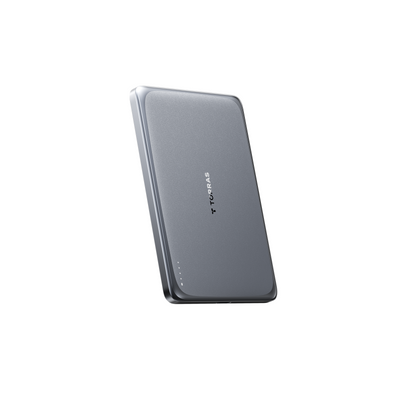
For more ways to keep your phone cool while charging, see our guide on wireless charging while gaming. If you travel frequently, the TORRAS Pebble Power Bank offers a compact backup that supports PD fast charging on the go.
Managing the iOS Battery Health Charging Limit for Peak Speed
Many owners see charging stop at 80 % even with a strong charger because Optimized Battery Charging is turned on by default. This feature intentionally slows or halts charging to reduce long-term battery wear. On iOS 18 and later you can temporarily disable the limit when you need a full 45 W sprint before a flight or long commute.
Go to Settings > Battery > Charging and toggle off the 80 % cap for the next session. Remember to turn it back on afterward so the phone can continue protecting battery health over months of daily use. Combining this adjustment with a proper 45 W setup and a low-temp cable is the most reliable way to see consistent peak performance when you actually need it.
Does iPhone Show Fast Charging?
No, iPhones do not display a dedicated "Fast Charging" icon or label. Instead, iOS 18 and later use the absence of a Slow Charger warning and the slope of the Battery graph to indicate performance. A green bar means the charger is not slow, but only real-time wattage observation or a steep early charging curve confirms you are near the 45 W peak on iPhone 16 and 17 models.
What Is the Fast Charging Sound on iPhone?
The chime you hear is a Power Delivery connection tone, not an official fast-charging confirmation. A single chime often occurs with premium GaN chargers because the handshake completes almost instantly. A double chime usually signals a brief delay and can appear with both high- and low-wattage setups, so it is not a dependable indicator of speed.
How Many Watts Is Fast Charging on iPhone 16?
iPhone 16 and 17 series can accept up to approximately 45 W under ideal conditions—battery below 50 %, temperature under 35 °C, and a 45 W+ PD 3.1 charger paired with an E-Marker cable. Real-world speeds often settle between 30–40 W once the initial surge completes.
Why Is My iPhone Charging Slowly With a Fast Charger?
The most common reasons are heat (internal temperature above 35 °C triggers throttling), Optimized Battery Charging stopping at 80 %, or a cable that cannot sustain the negotiated wattage. Checking the Battery graph for orange bars, feeling the phone for warmth, and verifying the cable's quality usually reveals the exact bottleneck.
Does Optimized Battery Charging Affect Fast Charging?
Yes. When enabled, the feature deliberately slows charging once the battery reaches 80 % to extend overall battery lifespan. For maximum 45 W speeds to 100 %, turn off the limit temporarily in Settings > Battery > Charging. Re-enable it afterward to keep the long-term protection active.
What Cable Do I Need for 45W iPhone Charging?
You need a USB-C to USB-C or USB-C to Lightning cable that supports at least 60 W and contains an E-Marker chip for proper power negotiation. Cables without this chip often cap out at 20–27 W even when paired with a 45 W charger. Low-temperature designs further help maintain those speeds during extended use.

 New
New


Becca Farsace
Emmy-winning filmmaker and creator Becca Farsace takes tech outside. A former senior video producer at The Verge, she has created and produced over 250 videos, becoming the first staffer to surpass 6.5 million views on TikTok. Now a full-time tech creator, she's built a go-to YouTube channel for adventurous, real-world tech reviews. Becca blends cinematic storytelling with a sharp strategic lens to help brands and audiences connect with technology in a more human, compelling way.