


A nightstand charging setup iPhone users actually keep using is usually the one that stays visible, charges reliably, and does not turn the bedside table into a cable pile. If you want StandBy on display and fewer middle-of-the-night adjustments, a stand case is often the cleanest starting point.

Start With the Bedside Setup That Actually Gets Used
The best nightstand setup is not the one with the most accessories. It is the one that lets you set the phone down once, see the screen from bed, and pick it up in the morning without untangling anything. Apple's StandBy mode is built for this kind of sideways, glanceable bedside use, so the real question is whether your setup makes that easy night after night.
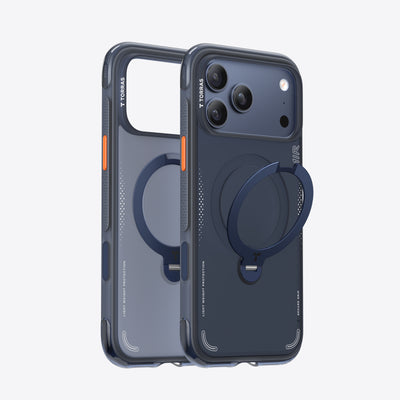
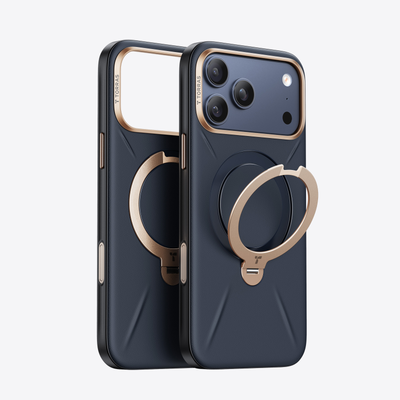
A stand case works well here because it combines the viewing angle and the phone case into one piece instead of adding another stand to manage. That can be a better fit if you want fewer objects on the nightstand and fewer things to shift when you plug in before sleep. Is a Phone Case with a Stand a Necessity? explores the trade-offs in more detail.
A simple decision sentence: if your bedside routine already includes charging, checking the time, and silencing notifications, a stand case is usually the cleaner option; if you only need a place to plug in once in a while, a plain charger may be enough.
For a broader accessory layout, How to Build a Complete MagSafe Accessories Setup That Actually Works Together is a useful follow-up when you are deciding what belongs near the bed and what should stay in your bag.
Why Stand Angle and Alignment Matter
For most people, the setup succeeds or fails on two things: whether the phone is easy to read from the pillow and whether it stays centered after you set it down in the dark. Apple says MagSafe chargers use magnets for alignment, and that matters at bedtime because nobody wants to fumble with the phone twice when they are already trying to fall asleep. Keep the charging area well-ventilated and avoid blocking airflow during extended charging sessions.
Find a Stand Angle You Can Read at a Glance
The angle should let you see the time, alarms, and notifications without leaning over the nightstand. If you have to lift the phone or tilt your head every time, the setup is not doing its job. In practice, the right angle is the one that stays readable from your normal sleeping position, not the one that looks best from across the room.
Keep MagSafe Alignment Consistent
Magnetic alignment is less about flashy convenience and more about avoiding the small annoyances that add up. A phone that lands in the right spot on the first try feels calmer to use than one that needs nudging each night. That is especially true if you charge one-handed in the dark or set the phone down while half awake.
Reduce Nightstand Movement and Wake-Ups
If the phone slips, tips, or lands off-center, the whole setup starts to feel fragile. A stable stand case helps reduce that friction because the viewing support stays attached to the phone instead of moving around with the charger.
What to Keep on the Nightstand
Keep the bedside surface simple. The fewer objects you need to touch in the dark, the more reliable the routine feels.
- Phone with the stand case attached
- One charging source, routed cleanly out of sight
- A little open space for water, glasses, or an alarm clock
- Optional add-ons only if they support the morning routine, not the clutter
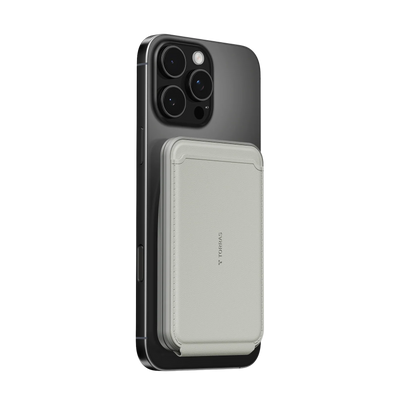
A magnetic wallet can be convenient during the day, but it usually works better away from the actual charging spot. A magnetic power bank makes more sense when you want a carry option for commuting or travel days. If you want to browse the category later, the phone accessories collection is the simplest place to start.
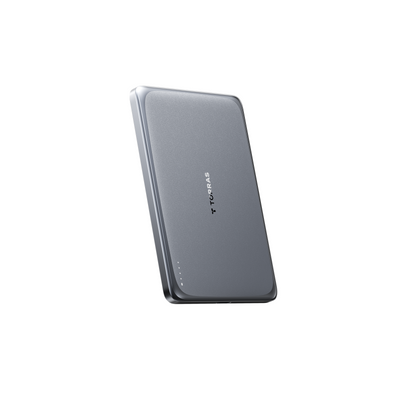
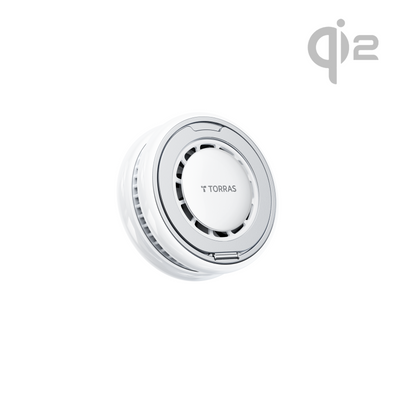
For a bedside charger add-on, the Ostand Power Bank 5000 mAh makes sense as a compact morning-carry option, while the Ostand Power Bank Qi2 10k mAh fits better when you want more portable flexibility and a larger day-use buffer. Both belong in the broader MagSafe power banks collection if you are comparing bedside-to-outdoor carry use.
How to Set Up the Bedside Station
- Place the phone where you can reach it from bed without hanging it over the edge of the nightstand.
- Run the charging cable once, then hide the extra length so it does not keep catching your eye.
- Set the phone on the stand and check the reading angle in both upright and sideways positions.
- Pick it up and set it down one-handed a few times in low light to see whether the magnetic point feels natural.
- Leave enough room for the rest of the bedside routine so the phone does not take over the whole surface.
If the phone keeps landing off-center, the issue is usually placement or angle, not the idea of wireless charging itself. A small adjustment to cable routing or stand position often solves more than swapping chargers does.

When a Stand Case Beats a Separate Stand
| Setup | Nightstand clutter | One-Handed Use | Morning Visibility | Best For |
|---|---|---|---|---|
| Stand case + MagSafe charger | Lowest | Easy | Strong | People who want the phone and stand to travel together |
| Separate MagSafe stand + case | Moderate | Good | Strong | People who want a fixed bedside spot but do not mind another object |
| Loose cable charging | Highest | Simple at first | Weak | People who only care about plug-in convenience |
A stand case usually wins when the bedroom setup needs to stay compact and predictable. The stand travels with the phone, so the viewing angle comes along for the ride instead of living as one more object on the table. That is the main reason it feels more natural for a nightstand charging setup iPhone users can live with every day.
A separate stand still makes sense if you want a dedicated home base on one nightstand and do not mind managing another accessory. Loose cable charging is the simplest thing to buy, but it tends to look messier and gives you the least control over how the screen faces the bed.
Qi2 standards guide is a good next read if you want the magnetic alignment side explained more deeply before you choose between bedside accessories.
Here is the practical filter: if you want the cleanest surface and a fixed viewing position, the stand case is the better bet; if you want the least setup change and do not care much about viewing angle, a simple cable may be enough; if you want a permanent bedside station, a separate stand can still work.
Bedside charging setups comparison
| Scenario | Stand case + MagSafe charger | Separate MagSafe stand + case | Loose cable charging |
|---|---|---|---|
| StandBy visibility | Strong | Strong | Weak |
| Bedside clutter | Lowest | Moderate | Highest |
Finish With a Cleaner Morning Routine
The setup is done when you can glance at the screen, grab the phone easily, and start the day without untangling anything. If the phone shifts overnight, move the stand or re-center the magnetic point before blaming the charger. The right bedside station should fade into the routine and still feel ready every morning. Test the full flow once: set the phone down at night, check StandBy visibility from your pillow, and confirm you can reach it without stretching.
Related Resources
- MagSafe power banks
- stand case options
- Wireless Chargers vs Traditional Chargers
- TORRAS Ostand Minimag power bank
FAQs
Q1. How Do I Keep My iPhone Visible on a Nightstand While It Charges?
Put the phone on a stand that leaves the screen facing you from bed, then test the angle at the exact distance you normally sleep from. StandBy works best when the phone is sideways and charging, so the real goal is a position you can read without lifting it or leaning across the nightstand.
Q2. What Is the Best Add-On for a Minimal Bedside Charging Setup?
The best add-on depends on what you are trying to fix. If you want less clutter, skip extras. If you want portability, a magnetic power bank is the more useful add-on. If you want a tighter bedside layout, one clean charging source is usually better than stacking multiple accessories beside the bed.
Q3. Can a Stand Case Replace a Separate MagSafe Stand?
For many bedside routines, yes. A stand case can cover both protection and viewing support without adding a second object to the table. A separate stand still makes sense if you want a fixed station that stays on one nightstand, but the all-in-one approach is easier to live with if you move your phone often.
Q4. Why Does Magnetic Alignment Matter More at Night?
Because night use is usually one-handed, half asleep, and low light. A magnetic setup reduces the number of small corrections you need to make before you fall asleep. That does not make the charger magical, but it does make the routine feel less fiddly when you are trying to get the phone parked and done.
Q5. How Can I Reduce Cable Clutter Without Losing Reliability?
Route the cable once, keep the nightstand surface open, and use a setup that naturally holds the phone in place. The trick is not to hide every wire at all costs. It is to remove the extra movement points so the phone, charger, and bedside routine all work together without constant adjustment.


